Quick answer
Your recurring cost base includes every predictable outflow, whether it's monthly, quarterly, or seasonal. To track it properly, categorize all recurring bills by type, capture their frequency and amount, tag them as essential or optional, and review the full picture at least once a quarter. Subscriptions are one slice of this. Rent and payroll are the core.
Most people think of Netflix or Spotify when they hear "recurring expenses." But the costs that actually constrain your financial flexibility are larger and less discussed: rent, insurance premiums, utility bills, payroll, and loan repayments. These are your real recurring base costs, and most budgeting tools barely touch them.
Stay Updated with Subtrakr
Sign up to our newsletter to get updates about Subtrakr and valuable insights about subscriptions and recurring expense management.
This article gives you a framework to track all of it, not just subscriptions.
What Is a "Recurring Base Cost" and Why Does It Matter?
A recurring base cost is any expense you are committed to paying on a regular schedule, regardless of whether you actively use the service in a given period.
Your Netflix sub is optional in theory. Your rent is not. Your cloud storage plan is $5/month. Your liability insurance might be $1,200/year. These are different in scale and flexibility, but they share one property: they will keep billing unless you actively change them.
The reason this concept matters for budgeting is simple. If you only track subscriptions, you are managing the smallest and most flexible part of your recurring spend. The rest—housing, insurance, utilities, payroll, and debt service—represents the fixed floor beneath everything else. Until you know that number, you cannot make accurate decisions about savings, investment, or cash flow.
How Much of Income Do People Spend on Recurring Expenses? puts this in concrete terms: for most households, non-subscription recurring costs account for 60 to 75 percent of total recurring spend.
What Belongs in Your Recurring Expense Categories?
Use this checklist as your starting inventory. Work through each category and record the amount, billing frequency, and whether the cost is essential or optional.
Housing
- Rent or mortgage payment
- HOA or building management fees
- Property tax (if paid directly, not escrowed)
- Storage unit rental
Utilities
- Electricity
- Gas or district heating
- Water and sewage
- Internet service
- Mobile phone plan
- Landline (if still active)
Insurance
- Health insurance premium
- Dental and vision coverage
- Car insurance
- Home or renters insurance
- Life insurance
- Business liability or professional indemnity
Payroll and Contractor Costs (business or freelancer)
- Employee salaries
- Payroll taxes and contributions
- Regular contractor or freelancer retainers
- Employer pension or benefit contributions
Debt Service
- Mortgage (if tracked separately from housing)
- Personal loan repayments
- Car loan
- Student loan
- Credit card minimum payments (if recurring and predictable)
Subscriptions
- Software and SaaS tools
- Streaming and media
- Gym and wellness
- News and content
- Business services
The last category is where most people start. The others are where the real money lives.
How Do I Track Expenses That Don't Arrive Every Month?
Irregular cadence is one of the main reasons non-subscription recurring costs get missed in budget tracking.
Your car insurance might bill annually. Your accountant may invoice quarterly. Your internet provider might charge every two months. These all qualify as recurring, but they do not show up on a standard monthly budget template.
The fix is to normalize everything to a monthly equivalent, and also flag the actual billing dates.
Step 1: List the expense and its billing cycle (monthly, quarterly, semi-annual, annual).
Step 2: Divide the annual cost by 12. This is your monthly equivalent for budgeting purposes.
Step 3: Record the next actual billing date so you can anticipate the outflow.
Step 4: If the amount varies (utilities in winter vs summer, for example), use a 12-month average for your baseline and track actuals separately.
A seasonal cost like heating can double in winter months. It is still recurring and predictable if you have 12 months of data. Treat it as recurring once you have established the pattern, even if it is not perfectly flat.
What Are Commonly Missed Recurring Costs?
These tend to fall through the cracks in most tracking systems:
- Annual insurance renewals. Car and home insurance renew once a year, often on a date unrelated to your fiscal calendar. Easy to forget until the charge hits.
- Business license and registration fees. Annual for most jurisdictions. Small individually, but part of your operating cost base.
- Domain and hosting fees. Often billed annually and easy to lose track of if you have multiple domains or services.
- Professional memberships. Industry associations, certifications, or licensing bodies that bill annually.
- Cleaning, landscaping, or maintenance services. Regular contractors who invoice monthly or seasonally.
- Payroll-adjacent costs. Health benefit contributions, pension matching, and payroll processing software are all recurring but often tracked separately from operating expenses.
- Debt minimum payments. These are fixed recurring outflows even when you pay more than the minimum. Track the minimum as the floor.
Recurring Expense Audit Checklist: Monthly and Quarterly Reviews That Actually Cut Costs covers how to surface these in a structured review once your inventory is populated.
How Should I Tag Recurring Expenses as Essential or Optional?
Essential vs optional is the most useful binary tag you can apply to your recurring cost base.
Essential: Removal causes immediate, material harm. Rent, utilities, health insurance, employee payroll, and loan repayments. These are non-negotiable in any given month.
Optional: Removal is possible without immediate disruption. Streaming services, SaaS tools you rarely use, gym memberships you could pause, premium tiers you could downgrade.
Most expenses in the housing, insurance, utilities, and payroll categories are essential. Most subscriptions sit somewhere between essential and optional depending on how actively you use them.
A small set of subscriptions may actually be essential—a project management tool your team depends on, or a billing platform your revenue flows through. Tag those as essential too.
The goal is not to cut everything optional. The goal is to know which costs you are actually committed to and which are discretionary. This distinction drives the budgeting logic explained in A Simple Budgeting Hack for Families and Freelancers: cover your essential recurring base first, then allocate the rest.
For sharper category logic across your full inventory, see Subscription Categories That Actually Work: A Tagging System for Clarity and Cuts.
Step-by-Step Setup (Time required: 30 to 45 minutes)
Step 1: Open a blank tracker. A spreadsheet or a tool like Subtrakr works. You need columns for: expense name, category, monthly equivalent, billing frequency, next billing date, and essential/optional tag.
Step 2: Work through each category. Use the checklist above. Do not skip payroll, insurance, or debt service even if they feel obvious.
Step 3: Find the actual billing amounts. Pull from bank statements for the last three months. Annual costs: divide by 12. Seasonal costs: average the last four to six billing events.
Step 4: Calculate your monthly base cost total. Sum all monthly equivalents. This is your recurring cost floor for any given month.
Step 5: Tag everything essential or optional. Be honest. If you would not cancel it in a cash crunch without consequences, it is essential.
Step 6: Identify your top 10 line items by cost. These deserve the most attention in any review. For most people, this list will be dominated by housing, payroll, and insurance, not subscriptions.
Step 7: Set a review date. Monthly is ideal for cash flow visibility. Quarterly is the minimum for spotting cost drift and renewal surprises.
Recurring Expense Tracker: Quick-Start Template
Copy this into a spreadsheet or your tracking tool of choice:
| Expense | Category | Amount | Frequency | Monthly equiv. | Next billing | Essential / optional |
|---|---|---|---|---|---|---|
| Rent | Housing | $1,200 | Monthly | $1,200 | 1st of month | Essential |
| Car insurance | Insurance | $900 | Annual | $75 | March | Essential |
| Electricity | Utilities | $80 | Monthly | $80 | 15th of month | Essential |
| Internet | Utilities | $45 | Monthly | $45 | 20th of month | Essential |
| Health insurance | Insurance | $360 | Monthly | $360 | 1st of month | Essential |
| Payroll (1 staff) | Payroll | $2,800 | Monthly | $2,800 | Last day | Essential |
| Netflix | Subscription | $18 | Monthly | $18 | 12th of month | Optional |
| Gym | Subscription | $40 | Monthly | $40 | 3rd of month | Optional |
| Domain + hosting | Subscription | $120 | Annual | $10 | June | Optional |
Add a "Notes" column if you need to track contract end dates, auto-renewal status, or cancellation notice periods.
What Review Cadence Works Best for Non-Subscription Recurring Costs?
Monthly and quarterly reviews serve different purposes.
Monthly review (15 minutes): Confirm upcoming billing dates for the month. Check for any amounts that changed from last month. Flag anything that looks different than expected.
Quarterly review (45 to 60 minutes): Compare actual spend against your monthly equivalents. Identify any costs that have drifted. Check for renewals coming in the next 90 days. Reassess any optional tags, especially for tools or services you use less than you expected.
Annual review (2 to 3 hours): Full audit across all categories. Renegotiate where possible (insurance, internet, payroll structure). Re-evaluate whether each essential tag still holds. Run the full checklist from scratch rather than updating last year's data.
The annual review is where significant savings are most often found, not because individual items are large, but because the total picture of drift becomes visible only when you look at 12 months at once.
Common Mistakes When Tracking Recurring Expenses
- Tracking subscriptions but not bills. Most apps default to subscription tracking. Rent and payroll usually live in a completely separate system, or nowhere at all.
- Using monthly columns for annual costs. An annual insurance premium looks like $0 for 11 months and then a sudden spike. Always convert to monthly equivalents for budget accuracy.
- Ignoring employer-side payroll costs. If you have staff, the cost is not just salary. Taxes, contributions, and benefits can add 20 to 40 percent on top.
- Leaving the essential tag unreviewed. A cost that was essential last year may not be this year. Review the tag at least annually.
- Not tracking the next billing date. Knowing what something costs is half the job. Knowing when it bills is the other half, especially for cash flow management.
- Conflating one-time and recurring costs. A one-time setup fee is not recurring. A monthly retainer is. Keep them separate.
FAQ
What is the difference between a recurring bill and a subscription?
A subscription is a specific type of recurring bill, typically for digital or service access, where you pay on a regular cycle and can usually cancel without penalty. A recurring bill is the broader category: it includes rent, insurance, utilities, loan repayments, and payroll, none of which behave like a subscription in terms of cancellation flexibility.
How do I track recurring expenses that vary month to month?
Use a 12-month average as your baseline and track actuals in a separate column. Utilities and seasonal costs are the most common examples. Over time, you will develop reliable estimates and catch unusual spikes early.
Should I track gross or net payroll as a recurring expense?
For budgeting purposes, track gross payroll plus all employer-side contributions. This is your actual recurring commitment. Net payroll (what employees receive) understates the true cost.
How often should I review my recurring expense tracker?
Monthly for cash flow visibility, quarterly for cost drift and upcoming renewals, annually for full renegotiation and audit. The monthly review can take 10 to 15 minutes once the tracker is set up.
Can I use Subtrakr to track non-subscription recurring costs like rent and utilities?
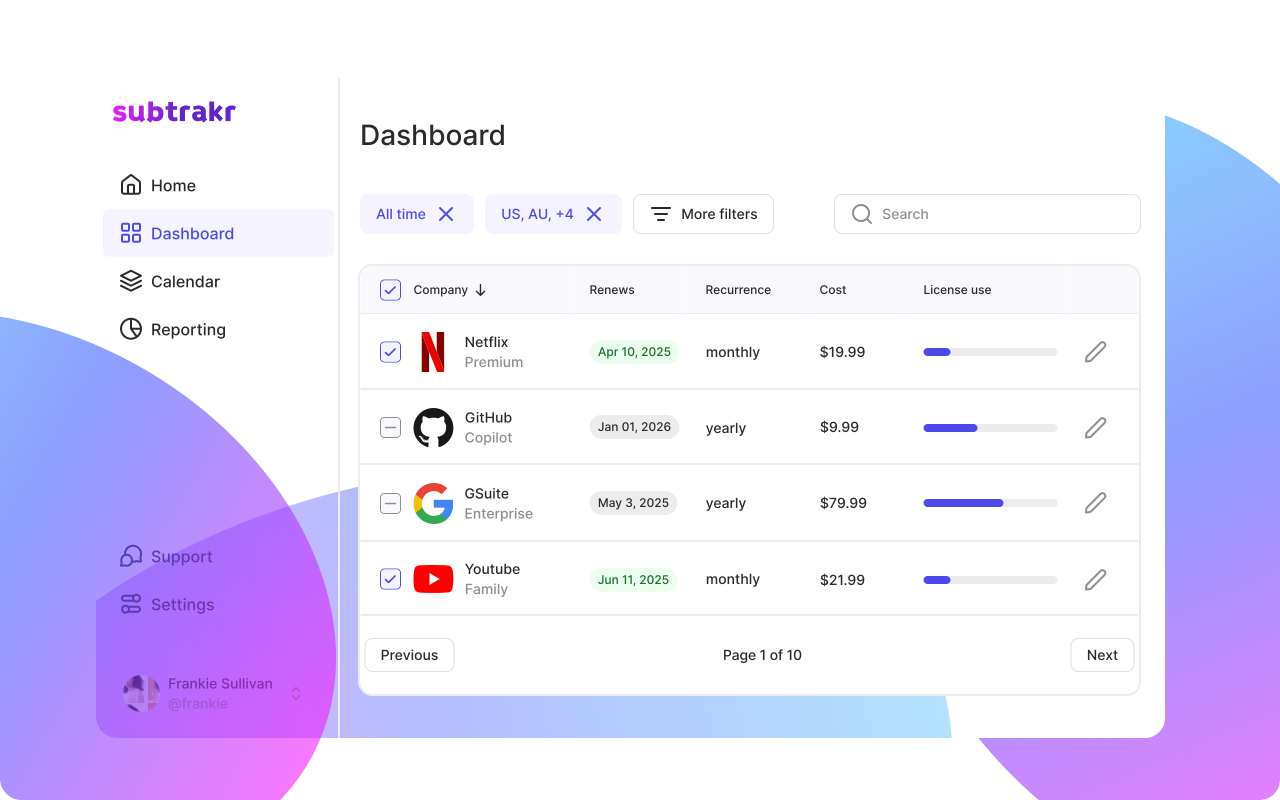
Yes. Subtrakr is designed to track all recurring expenses, not just subscriptions. You can add any recurring bill, set the billing frequency, and organize by category.
What is a good "recurring base cost" target as a percentage of income?
This varies by household and life stage, but a common guideline is to keep essential recurring costs below 50 percent of net income.
Next Action
Pick one category from the checklist above that you have never formally tracked. It is probably insurance or payroll. Add those line items to your tracker this week with the actual amounts and the next billing date. That one step will give you a clearer picture of your financial floor than any subscription audit alone.
When those line items are in, roll them into 2027 budget prep: recurring expense inputs so next year's plan includes rent, insurance, and utilities, not only apps.
If you want a single place to track all of it, including subscriptions, bills, and business costs, Subtrakr is built for exactly that. No spreadsheet setup required.