Quick answer
Effective subscription management requires four things done in sequence: a full inventory of everything you pay for, a single centralized tracker, a reminder system tied to renewal dates, and a quarterly audit habit. Do all four and your recurring costs become predictable. Skip one and the stack silently grows again.
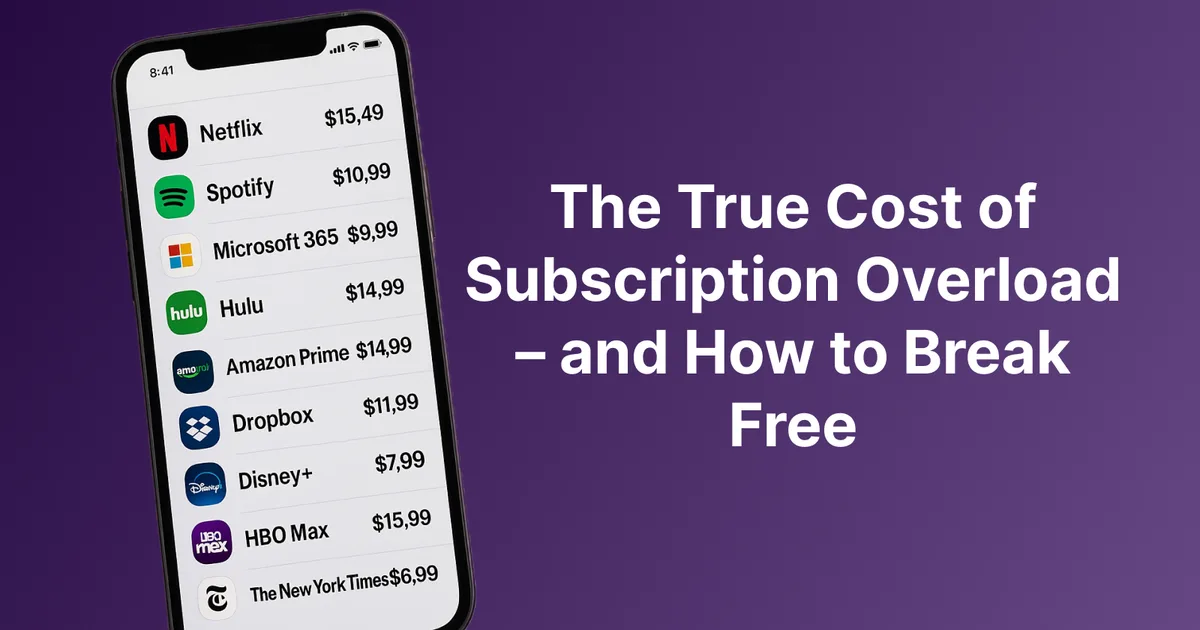
Most people underestimate their monthly subscription spend by 30 to 50 percent. Not because they are careless. Because subscriptions are designed to be invisible. Small charges, spread across multiple cards and payment accounts, billed on staggered renewal dates. By the time you notice a problem, you have been overpaying for months.
Stay Updated with Subtrakr
Sign up to our newsletter to get updates about Subtrakr and valuable insights about subscriptions and recurring expense management.
This guide builds the complete system: how to find everything, centralize it, audit it regularly, and build habits that keep your recurring costs intentional year after year.
What Is the "Subscription Stack" Problem and Why Does It Keep Coming Back?
The subscription stack problem is not about having too many subscriptions. It is about having subscriptions spread across too many places with no unified view.
You might have a streaming service charged to one card, a cloud storage plan billed through Apple, a software tool on a different card, and a gym membership on direct debit. Each charge is small. Each renewal date is different. None of them talk to each other.
The result is what researchers increasingly call subscription blindness: a state where you are technically aware of each individual service but have no accurate picture of the total. Studies consistently show that households underestimate their monthly recurring spend by wide margins, with estimates ranging from $50 to over $200 per month off the actual figure.
Three structural forces keep the problem alive.
Fragmentation across payment sources. Subscriptions attach to whichever card or account felt convenient at signup. Over time, your recurring expenses scatter across a debit card, two credit cards, PayPal, and a few platform-level billing systems like Apple and Google Play.
Staggered renewal timing. Annual plans renew once a year, often quietly. Monthly plans renew on dates that rarely align. Nothing forces them into the same moment of attention.
Friction-free signup, friction-heavy cancellation. Signing up for a trial takes thirty seconds. Canceling requires finding the buried settings page, confirming through multiple screens, and sometimes calling a retention line. The asymmetry is intentional.
The stack does not grow because people are irresponsible. It grows because the default system, which is no system at all, always favors accumulation over visibility.
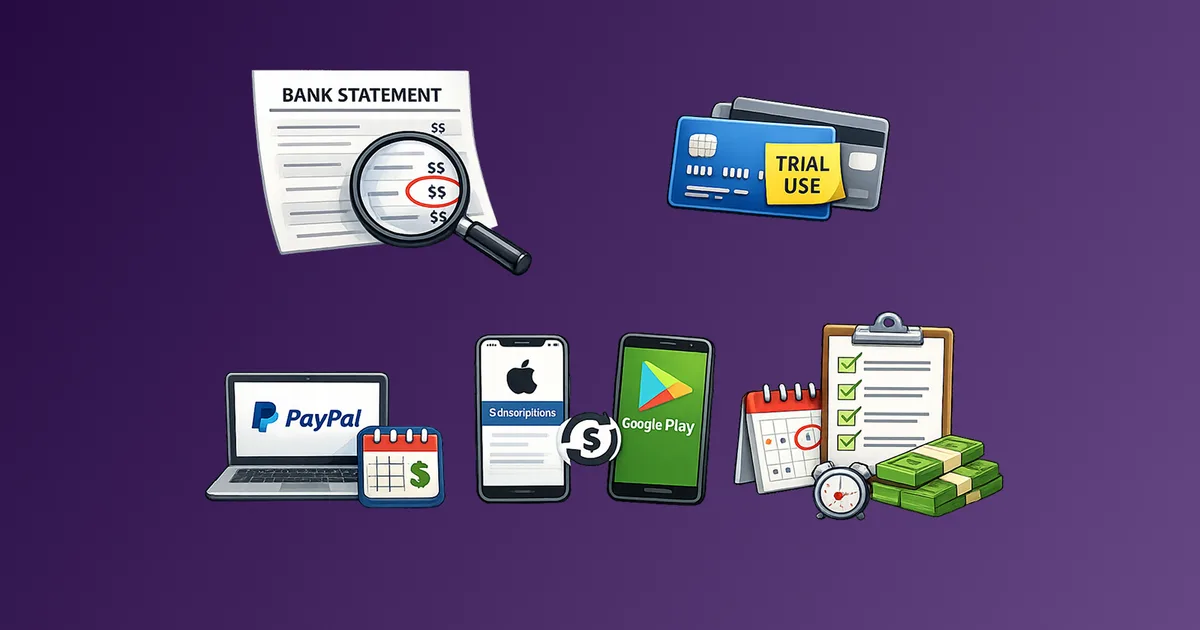
The solution is not to cancel everything. It is to see everything first, then decide. That sequence matters. Decisions made without a clear inventory are usually incomplete. See the full picture in our guide on how to find all your subscriptions across bank, card, PayPal, Apple, and Google Play.
What Is the Full Subscription Management Workflow?
The complete workflow has five stages. Each one addresses a different failure mode. Skipping any stage leaves a gap that the subscription economy is very good at exploiting.
Stage 1: Build a Complete Inventory
Before you can manage anything, you need to know what exists. This is the discovery stage, and it is more involved than most people expect.
The goal is a complete list: every recurring charge across every payment method, including platform-billed subscriptions that do not appear on your bank statement.
Where to look:
- Bank statements (last 3 months minimum, 12 months for annual plans)
- Every credit card statement
- PayPal recurring payments (Settings > Payments > Manage Automatic Payments)
- Apple subscriptions (Settings > Apple ID > Subscriptions)
- Google Play subscriptions (Play Store > Account > Payments and Subscriptions)
- Email inbox search for "receipt", "renewal", "billing", "invoice", "your subscription"
- Any secondary email addresses you use for signups
Record every recurring charge you find. At this stage, do not evaluate or cancel anything. Just list. Name of service, amount, billing frequency, payment source, and next renewal date.
Stage 2: Centralize into One Tracker
Once you have the list, it needs to live somewhere accessible and maintained. The two realistic options are a spreadsheet and a dedicated app.
Spreadsheet works well if you prefer manual control, want full customization, and are disciplined about updates. Minimum columns needed: service name, category, monthly equivalent cost, billing frequency, actual charge amount, payment source, next renewal date, and status (active, paused, trialing, canceling).
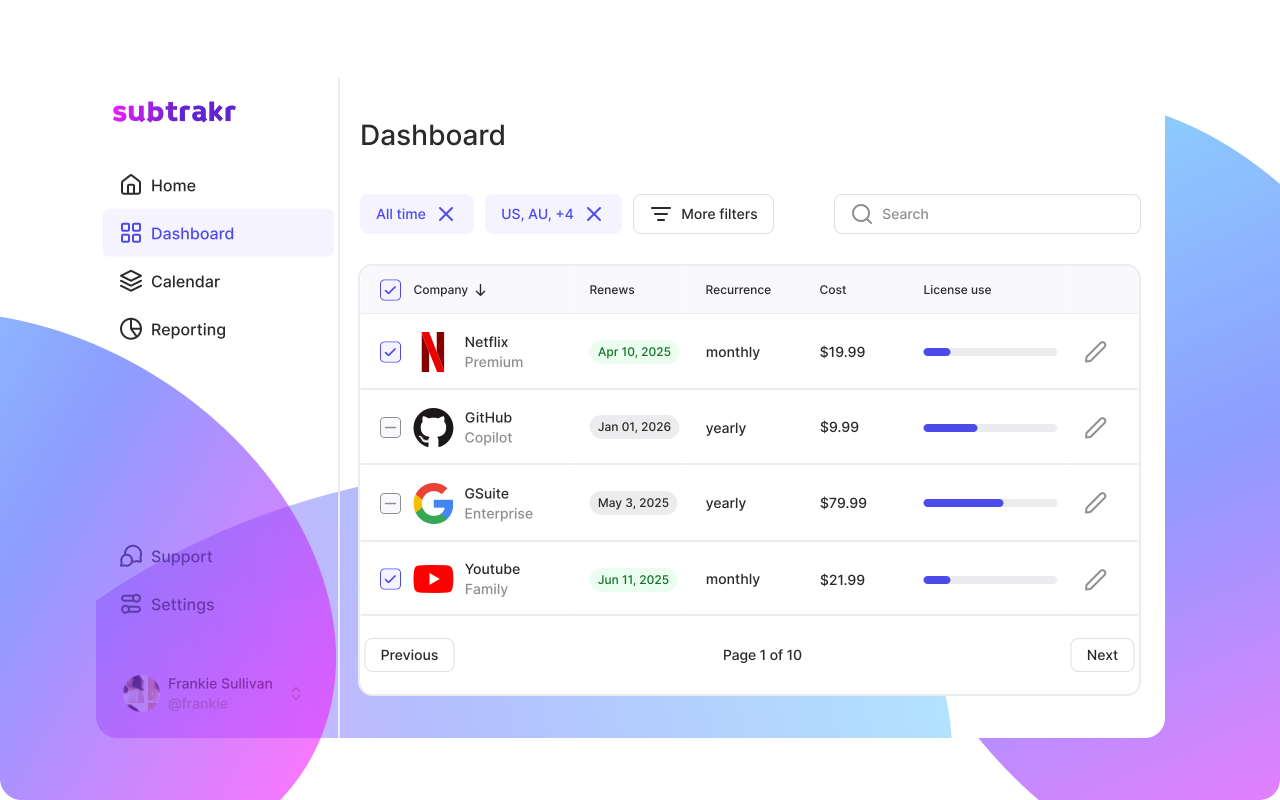
Subscription tracking app works better if you want calculations handled automatically, reminders built in, and a cleaner interface for ongoing review. The tradeoff is setup time and trusting a third-party tool with your data.
Either way, the key principle is the same: one place, all subscriptions, updated consistently.
For spreadsheet setup, Subscription Tracker Spreadsheet Template (Free) provides a ready-to-use template with the right columns and formulas.
Stage 3: Set Up a Renewal Reminder System
A tracker without reminders is a static document. It tells you what you pay for but does nothing to prevent surprise renewals.
The renewal reminder system converts your tracker into an active management tool.
The 7-3-0 system works reliably for most people:
- 7 days before renewal: Reminder to evaluate whether you still want this service
- 3 days before renewal: Final decision window. Cancel now if needed, since most cancellations take 24 to 48 hours to process
- 0 days (renewal day): Confirmation that the charge went through as expected or flag if something unexpected happened
For annual plans, add a 30-day reminder as well. Annual fees are large enough to warrant longer evaluation windows.
The calendar-based approach is covered in detail in How to Set Up a Subscription Calendar, including how to handle price change notifications and annual fee surprises.
Stage 4: Conduct Regular Audits
An audit is different from daily tracking. It is a structured review session where you evaluate value, not just confirm what you pay.
Monthly audit (15 minutes): Review every subscription that renewed in the past 30 days. For each one, ask: Did I use this? Did it deliver value proportional to the cost? Are there cheaper or better alternatives? Flag anything that fails this filter for a decision in the next two weeks.
Quarterly audit (45 to 60 minutes): Deeper review across the full stack. Recategorize anything that has changed. Revisit anything flagged in monthly reviews. Check for price increases that have quietly taken effect. Review total monthly equivalent spend against your budget targets.
The Recurring Expense Audit Checklist provides a complete framework for both audit cadences, including a decision scoring system for borderline subscriptions.
Stage 5: Negotiate, Downgrade, or Cancel Intentionally
After an audit surfaces candidates for action, you have four options for any subscription: keep as-is, downgrade to a lower tier, negotiate for a better rate, or cancel.
Negotiation is underused and often effective. Many providers have retention discounts they do not advertise. The process: contact support before renewal, state that you are considering canceling due to cost, and ask whether there is a promotional rate or loyalty discount available. This works most reliably with gym memberships, internet and phone providers, insurance, and some software tools.
Downgrading makes sense when you are paying for a tier's features but only using the base tier in practice. Review what you actually use, not what you signed up for.
Canceling is worth doing deliberately, not reactively. The How to Cancel Subscriptions Without the Stress guide walks through the process including how to document cancellations and prevent rebilling.
For detailed negotiation scripts and tactics, How to Negotiate Your Bills (and Save Hundreds) covers the full approach by service category.
What Tools Do You Actually Need for Subscription Management?
The right tool stack is simpler than most people expect. You do not need a dozen apps. You need reliable coverage across three functions.
Tracking and calculating: One place where all subscriptions live with monthly equivalent totals calculated automatically. This is either your spreadsheet or a dedicated app like Subtrakr. The key feature is automatic monthly equivalent calculation, since services billed annually, quarterly, or weekly are otherwise impossible to compare.
Reminders: A calendar you check regularly. Google Calendar, Apple Calendar, or any equivalent works. The system matters more than the tool. Add renewals as recurring events with reminders set at 7 days and 3 days before.
Decision support: The audit checklist and a category tagging system. Categories like Essential, Productivity, Entertainment, and Discretionary make it much faster to see where cuts are possible during an audit.
One important note: Subtrakr requires manual input of recurring expenses. The calculation and categorization are automatic, but you add each subscription yourself. This is intentional. Manual input creates awareness that automated scrapers skip. You notice what you are adding. That act of deliberate entry surfaces subscriptions that would otherwise remain invisible.
Spreadsheet vs App: When Does Each Make Sense?
Use a spreadsheet if:
- You manage fewer than 15 subscriptions
- You want complete control over structure and formulas
- You prefer offline access and no third-party data storage
- You are comfortable maintaining it manually
Use an app if:
- You have 15 or more subscriptions across multiple categories
- You want automatic monthly equivalent calculations without formula management
- You want built-in reminders and audit workflows
- You share subscription management with a partner or household
Whichever tool you use, you need to be able to compare billing cycle options in real terms, and monthly equivalents are how you do that.
What Should a Subscription Tracker Template Include?
A complete subscription tracker template needs these fields at minimum.
Core fields (required):
| Field | Purpose |
|---|---|
| Service name | Identification |
| Category | Grouping and filtering (Entertainment, Productivity, Essential, etc.) |
| Billing frequency | Monthly, annual, quarterly, weekly |
| Charge amount | Actual billed amount |
| Monthly equivalent | Calculated from charge amount and frequency |
| Payment source | Which card or account |
| Next renewal date | For reminder setup |
| Status | Active, Paused, Trialing, Canceling |
Extended fields (recommended):
| Field | Purpose |
|---|---|
| Notes | Login email, account tier, any relevant context |
| Last reviewed | Date of most recent audit decision |
| Value rating (1-3) | Quick signal for audit prioritization |
| Annual total | Helps with budget planning |
The category system deserves more attention than most people give it. A good tagging structure makes audits significantly faster. Subscription Categories That Actually Work covers a practical tagging framework built specifically for this purpose.
What Are the Most Common Subscription Management Mistakes?
Most subscription management failures come from the same handful of patterns.
Tracking monthly charges but missing annual ones. Annual subscriptions renew once a year at a larger amount. If your tracker only captures monthly charges, it misses a category of spending that is often significant. Always search email for "annual renewal" and "yearly subscription" separately.
Auditing without a decision framework. Reviewing your subscriptions without a clear decision rule leads to inaction. "I might use this someday" is not a decision. Build a simple value filter: used in the past 30 days, yes or no. Used in the past 90 days, yes or no. Value per use versus cost. Anything that fails two out of three gets flagged for cancellation or downgrade.
Letting free trials convert without a reminder. Free trials are designed to convert through inaction. You do not have to decide to pay. You just have to fail to cancel. The fix is a two-step calendar reminder for every trial: one reminder two days before the trial ends, one on the last day of the trial. How to Avoid Free Trial Traps covers this system in full.
Tracking the charge but not the payment source. Subscriptions billed to a closed or expired card often re-route to another card automatically or fail silently, sometimes accumulating charges you do not notice. Always log which card or account each subscription is billed to.
Not rechecking after price increases. Most subscription price increases arrive as a low-visibility email notification 30 to 60 days before they take effect. If you are not tracking, the increase simply happens. Add a regular inbox search for "price change" and "billing update" to your quarterly audit.
Skipping the negotiation step. Most people cancel or keep subscriptions without ever asking for a better rate. Retention pricing exists across most consumer subscription categories. The worst outcome of asking is being told no.
How Do You Build an Ongoing Subscription Management Habit?
One-time audits are useful but not sufficient. The subscription economy is designed for growth, not stability. New services launch, trials convert, prices increase, and usage patterns shift. A management system that runs once then goes idle will see the stack rebuild over six to twelve months.
The habit system that actually works is minimal and scheduled.
Monthly Ritual (15 minutes)
Pick a consistent date, first of the month or last Friday, and do the same five things every time.
- Open your tracker and confirm every charge that renewed in the past 30 days matches your records
- Flag any unexpected charges or price changes
- Rate each active subscription on a simple value scale (1 = essential, 2 = useful, 3 = questionable)
- Add any new subscriptions you signed up for during the month
- Confirm upcoming renewals in the next 30 days and check your reminders are set
Total time: 10 to 15 minutes if your tracker is maintained. This is maintenance mode, not investigation.
Quarterly Ritual (45 to 60 minutes)
Once per quarter, run a full audit.
- Review every category, not just recent renewals
- Calculate total monthly equivalent spend and compare to your target or last quarter
- Identify the top three services you could cancel or downgrade without meaningful impact
- Make a decision on each flagged item from the past three months
- Check for services where a billing cycle change (monthly to annual or annual to monthly) would save money
- Update your category tags if your usage patterns have shifted
- Run the negotiation list: any services where you have not asked for a better rate in the past year
For freelancers and those with variable income, the quarterly audit connects to a broader financial review that places recurring expenses at the center of the budget structure.
Annual Reset (60 to 90 minutes)
Once per year, treat your subscription stack as if you are starting fresh.
Go through every active subscription and ask: If I did not already have this, would I sign up today at this price? This reframe bypasses sunk cost reasoning and surfaces services that have become habits rather than genuine value sources.
The annual reset is also the right time to run the full discovery process again, not just review your existing tracker. New recurring charges may have appeared that you have not yet captured.
How Does Subscription Management Connect to Your Overall Budget?
Most budgeting frameworks treat subscriptions as a subcategory of discretionary spending. This is increasingly wrong.
Subscriptions are now spread across every budget category: essential utilities (cloud storage, internet, phone), work tools (software, productivity apps), healthcare (fitness apps, telehealth), and entertainment. Treating them as a single discretionary bucket misrepresents where the money actually goes.
The more useful approach is to calculate your total monthly equivalent recurring spend and treat that number as a fixed floor in your budget, the same way you treat rent or mortgage. Then build discretionary decisions on top of that known base.
This reframe is what the Zero-Based Budgeting for Recurring Bills guide explores in detail. The method varies, but the starting point is always the same: know your recurring base before making any other budget decisions.
The goal is not to minimize subscriptions. It is to make them intentional. Every service on your list should be there because you chose it with full information, not because the default was to keep paying.
FAQ
How many subscriptions does the average person have in 2026?
Estimates vary by country and methodology, but most research points to 10 to 15 active subscriptions per adult in high-income markets, with household totals often exceeding 20 when you include services shared across family members. The more important number is the monthly equivalent total, since that is what affects your budget.
What is the fastest way to find all my subscriptions?
Search your email for "receipt", "renewal", "subscription", and "invoice". Then check your bank and credit card statements for the past 12 months. Then check Apple, Google Play, and PayPal separately, since platform-billed subscriptions do not always appear on card statements. That sequence takes 30 to 45 minutes for most people and surfaces nearly everything.
How often should I audit my subscriptions?
A light monthly review (10 to 15 minutes) to catch new charges and confirm renewals, plus a full quarterly audit (45 to 60 minutes) to evaluate value and make cancellation or downgrade decisions. The quarterly cadence matches how most subscription pricing and usage patterns shift.
Is a spreadsheet or an app better for tracking subscriptions?
Both work. A spreadsheet offers full control and works well for smaller stacks. An app is better for larger stacks where you want automatic calculations, built-in reminders, and cleaner category filtering. The right choice depends on how many subscriptions you manage and whether you prefer setup flexibility or a ready-made structure.
How much can I realistically save by managing subscriptions actively?
Most people who run a full audit for the first time find 2 to 5 subscriptions they can cancel immediately with no meaningful impact. At average subscription prices, that typically represents $30 to $80 per month. Negotiation adds another layer: retention pricing often yields 20 to 40 percent discounts on services you want to keep.
What should I do when a subscription price increases?
Decide within the notification window, before the increase takes effect. Your four options are: keep at the new price, downgrade to a lower tier, negotiate for a loyalty rate, or cancel. What to Do When a Subscription Price Increases walks through the decision framework for each scenario.
What to Do This Week
Set aside 30 minutes this week to run a discovery pass: check your bank and card statements, PayPal, Apple, and Google Play. Build a list of every recurring charge you find. Do not evaluate yet. Just list.
Once you have the inventory, you have something to work with. Everything after that, the tracker, the reminders, the audit cadence, is maintenance on a foundation you will already have built.
If you want to track your spending and get a clear view of your monthly equivalent total, Subtrakr is built for exactly this. Add your subscriptions manually, and the calculations handle themselves.