Quick answer
YNAB is a full budgeting system that helps you allocate every dollar you earn. Subtrakr is a recurring expense control center that gives you a structured view of everything you pay on a regular basis. One helps you plan your money. The other helps you understand the fixed layer underneath your budget. They solve different problems and work better together than either does alone.
Most people who discover Subtrakr already use a budgeting app. And most of the time, that app is YNAB. The natural question follows: do I need both? Are they doing the same thing? If I track my subscriptions in YNAB, what does Subtrakr add?
Stay Updated with Subtrakr
Sign up to our newsletter to get updates about Subtrakr and valuable insights about subscriptions and recurring expense management.
This article gives you a clear answer. Not a sales pitch for either product, but a practical breakdown of what each tool actually does, where they overlap, and how to use them together without creating extra work.
What Is YNAB Actually Built For?
YNAB (You Need A Budget) is built around one idea: give every dollar a job before you spend it. It is a forward-looking budgeting system. You enter your income, create budget categories, and assign money to each category before the month begins.
YNAB imports transactions automatically from connected bank accounts and cards. As you spend, YNAB matches transactions to categories and shows you how much you have left in each envelope. When a subscription charge hits, it appears as a transaction and deducts from whichever category you assigned it to.
YNAB is strong at:
- Full-budget planning across all income and expenses
- Transaction tracking with automatic import
- Cash flow visibility across the whole month
- Helping overspenders become intentional about every category
- Handling irregular income (especially useful for freelancers)
What YNAB does not specialize in:
- Showing you a clean list of all recurring expenses in one place
- Calculating the true monthly equivalent of annual subscriptions
- Surfacing which subscriptions are renewing when
- Helping you audit and rationalize your subscription stack
YNAB treats a Netflix charge the same as a grocery run: it is a transaction that hits a category. That is useful for budgeting. It is not the same as having a dedicated view of every recurring commitment you carry.
What Is Subtrakr Built For?
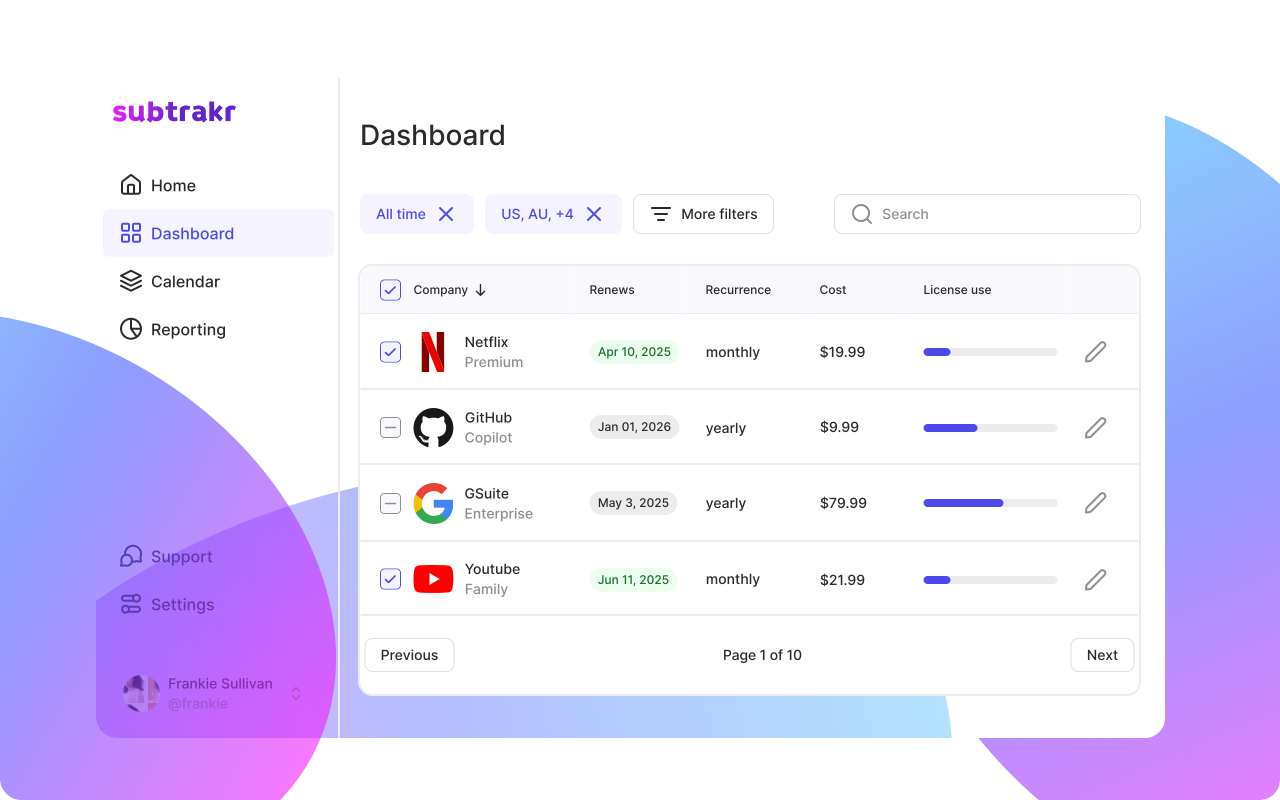
Subtrakr is built around a different premise: recurring expenses are not just transactions. They are structural commitments. They renew automatically. They stack invisibly. And they deserve their own layer of visibility.
You enter your recurring expenses manually in Subtrakr. That manual input is intentional: it creates awareness that automatic import does not. When you sit down to add a subscription, you think about whether it belongs on the list at all.
Subtrakr automatically calculates monthly cost equivalents for all entries, regardless of billing cycle. An annual plan that costs 120 dollars per year shows up as 10 dollars per month. A quarterly plan converts the same way. Everything is normalized to a monthly view so you can see the real weight of your recurring stack at a glance.
Subtrakr is strong at:
- Building a clean, auditable list of every recurring expense
- Converting all billing cycles to a unified monthly equivalent
- Showing your total recurring expense baseline at a glance
- Helping you run structured subscription audits
- Preventing surprise renewals through a renewal-aware view
What Subtrakr does not do (currently):
- Import transactions automatically
- Track variable or one-time spending
- Manage full budget categories across income and expenses
That distinction matters. Subtrakr is not trying to replace your budget. It is trying to make the recurring layer of your finances impossible to ignore or underestimate.
Where Does Each Tool Fit in a Real Financial Workflow?
Think of your finances in layers. At the top is income. Below that is your fixed recurring base: subscriptions, rent, insurance, loan payments. Below that are variable recurring costs: groceries, utilities, fuel. At the bottom is discretionary spending.
YNAB operates across all layers simultaneously. It is your whole-budget operating system.
Subtrakr operates specifically on the fixed recurring layer. It makes that layer visible, auditable, and manageable before it disappears into the noise of a transaction feed.
Setup phase
When you first take control of your finances, you need two things: a clear picture of what you owe on a recurring basis, and a plan for how to allocate what is left.
Subtrakr handles the first task. Start here. List every recurring expense you carry, add billing cycles and amounts, and let Subtrakr show you your real monthly baseline. This number is not always what people expect. Most people underestimate their recurring total by 20 to 40 percent because annual billing disguises the monthly weight.
Once you know that number, bring it into YNAB as a category or set of categories. Now you are budgeting from reality, not assumptions.
If you want a structured approach to finding all your subscriptions before entering them, the How to Find All Your Subscriptions: Bank, Card, PayPal, Apple, Google Play guide walks through every source you need to check.
Monthly review
During monthly reviews, YNAB shows you how you performed across all categories. Subtrakr shows you whether your recurring baseline has changed: new subscriptions added, price increases absorbed, annual renewals coming up.
These are different reviews with different goals. The YNAB review is about your whole money picture. The Subtrakr review is a focused audit of your structural commitments.
Running both together, once a month, takes less than 30 minutes and gives you more financial clarity than most people have at any point in the year.
For a ready-to-use review structure, see the Recurring Expense Audit Checklist: Monthly and Quarterly Reviews.
Quarterly audit
Every quarter, use Subtrakr to run a deeper pass: which subscriptions have not been used, which are being duplicated, which renewed at a higher price than the previous year. Export that context and bring it into YNAB to adjust category budgets going forward.
This quarterly loop is where the combination of the two tools pays off most clearly. YNAB tells you how much you spent. Subtrakr tells you what is still sitting on your recurring list and whether it still belongs there.
Where Do the Tools Overlap and How Do You Avoid Double Work?
The overlap is real. Both tools track recurring expenses in some form. Here is how to handle it cleanly.
In YNAB: Keep a single category for recurring subscriptions, or split into essential and non-essential. Let YNAB match the transactions as they hit your accounts. Do not try to build a detailed subscription inventory inside YNAB. That is not what it is optimized for.
In Subtrakr: Use it as your master subscription list. Every recurring commitment lives here. This is where you track billing cycles, monthly equivalents, and renewal dates. You are not duplicating transactions. You are maintaining a separate structural record of what you have committed to.
The practical rule: YNAB tracks what happened. Subtrakr tracks what you are committed to. These are not the same thing, even when the numbers are related.
One thing to avoid: trying to manage subscription renewals inside YNAB by setting up scheduled transactions. It works technically, but it creates maintenance overhead and does not give you the monthly equivalent view, the audit structure, or the renewal clarity that a dedicated tool provides.
For a broader comparison of tools in this space, 5 Best Apps to Track and Save on Recurring Expenses gives useful context on how each option fits different workflows.
Recommended Combinations for Different Personas
Not every user needs both tools equally. Here is how the combination plays out for common profiles.
Freelancers with irregular income
YNAB was built with freelancers in mind. Its age-of-money concept and month-ahead budgeting handle income variability well. The problem for freelancers is that recurring expenses hit regardless of whether income arrived. Subtrakr gives freelancers a fixed cost floor to budget around, so YNAB can operate on top of a clearly understood baseline.
For more on this, A Simple Budgeting Hack for Families and Freelancers explains the pay-essentials-first logic that makes this combination work.
Families with complex subscription stacks
Families tend to accumulate subscriptions across multiple accounts, shared plans, and billing cycles. YNAB handles the household budget. Subtrakr handles the subscription inventory. Splitting the responsibility this way prevents the subscription layer from getting lost in a general "subscriptions" category that no one reviews seriously.
Single users wanting tight control
If you want maximum financial awareness, run Subtrakr first to build your recurring baseline, then budget the remainder in YNAB. You will know exactly what is fixed and what is flexible before you allocate a single dollar.
People who only want subscription control
If you are not ready for full zero-based budgeting, Subtrakr works as a standalone tool. Knowing your recurring baseline and having a clean audit structure is a meaningful step toward financial clarity, even without a full budget system in place.
Common Mistakes When Using Both Tools
Trying to replicate Subtrakr's structure inside YNAB. YNAB does not normalize billing cycles. An annual plan that charges once in January will look fine in January and invisible the rest of the year. Subtrakr solves this specifically. Do not fight YNAB's design.
Adding too many YNAB categories to mirror Subtrakr's subscription list. One or two YNAB categories for recurring expenses is enough. The detail belongs in Subtrakr.
Updating Subtrakr reactively instead of proactively. Subtrakr works best when you update it when subscriptions change, not when you notice something is off in your bank statement. Build a habit of adding entries the moment you sign up for something new.
Ignoring the monthly equivalent view. Most people run mental budgets based on what they remember paying recently, not what they actually owe across all billing cycles. Subtrakr's monthly equivalent calculation is one of the highest-leverage numbers in personal finance. Use it as the anchor for your YNAB recurring category budget.
Where Subtrakr Is Heading
Subtrakr currently focuses on recurring expense tracking and monthly equivalent calculation. That scope is intentional. The recurring layer of your finances is complex enough to deserve dedicated tooling, and getting that layer right is the foundation everything else builds on.
The longer-term direction extends this foundation into a complete personal budget structure, built entirely around the recurring expense concept.
The idea is straightforward. Instead of tracking every transaction, you treat each major spending category as a recurring commitment:
- Savings target: a fixed monthly amount you allocate before anything else
- Everyday spending: groceries, transport, and dining as one recurring monthly allocation
- Investment contributions: recurring monthly commitments as well
Once every commitment is entered as a recurring line, Subtrakr calculates what remains from your income. That remainder is your truly free spending, money you can use for anything without breaking a financial plan.
The model works because most people already have a reasonable sense of what they spend on daily life each month, even without tracking every purchase. You do not need to log every coffee or supermarket run. You allocate a realistic monthly amount for that category, treat it as spent, and move on.
If you consistently overshoot that number, that is the signal to look closer. But the default is clarity without overhead.
This turns Subtrakr into a single-layer financial picture:
- Income
- Fixed recurring commitments
- Category allocations for variable spending and savings
- A free balance
No transaction-by-transaction logging. No complex category trees. Just a structured view of what you owe, what you are setting aside, and what is actually left.
Frequently Asked Questions
Is Subtrakr a replacement for YNAB?
No. YNAB is a full budgeting system. Subtrakr is a recurring expense control layer. They solve different problems. Most users who benefit from one also benefit from the other.
Can I track subscriptions inside YNAB instead of using Subtrakr?
You can, but YNAB does not normalize billing cycles to monthly equivalents, and it is not designed for subscription auditing. Using YNAB for transactions and Subtrakr for the recurring inventory is the cleaner approach.
Does Subtrakr connect to my bank account?
Currently, no. Subtrakr uses manual input. This is intentional: the act of adding subscriptions manually creates awareness that automatic import tends to skip. Totals and monthly equivalents are calculated automatically once entries are added.
How much does YNAB cost versus Subtrakr?
YNAB runs on a subscription model and is priced at the higher end for a personal finance app. Subtrakr is positioned as a more focused, lighter-weight tool. Check current pricing on each product's website for exact figures.
What if I already track my subscriptions in a spreadsheet?
A spreadsheet is a reasonable starting point. The Subscription Tracker Spreadsheet Template shows how to set one up properly. Subtrakr handles the calculation and normalization layer automatically, which is the part most spreadsheet setups get wrong or skip.
Should I use Subtrakr if I do not use YNAB?
Yes. Subtrakr works as a standalone tool. You do not need YNAB or any other budgeting system to get value from having a clean, auditable view of your recurring expenses.
Next Step
If you have not yet built your recurring expense baseline, start there. Add every subscription and recurring bill to Subtrakr, let it calculate your monthly equivalent total, and use that number as the anchor for your budget. Whether you use YNAB, a spreadsheet, or nothing else at all, knowing your real recurring baseline is the most useful number you can have.